
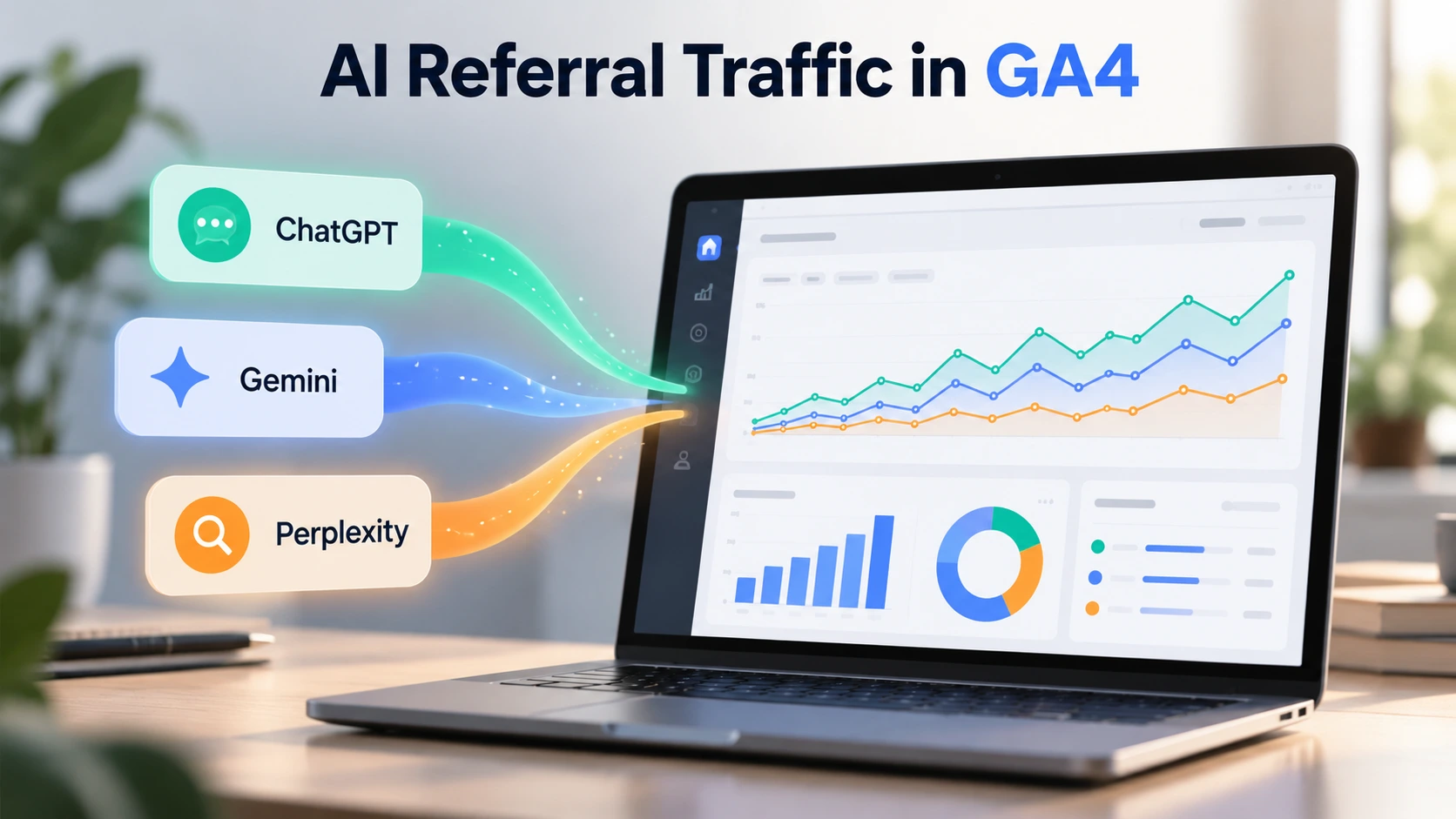
Picture this. Your website appears in a ChatGPT answer, Gemini recommends one of your guides, and Perplexity cites your article as a trusted source. That’s great exposure. But here’s the million-dollar question: Are those AI recommendations actually bringing visitors to your website? Without proper tracking, you’re essentially hosting a party without knowing who showed up.
People no longer rely entirely on traditional search results to discover businesses, products, and information. They ask AI assistants for recommendations, comparisons, and solutions. For marketers, this shift creates a new opportunity, but it also introduces a measurement challenge. You need to understand where your Referral Traffic comes from and what visitors do after clicking an AI-generated recommendation.
That’s why a strategy built around Ai SEO Services should include traffic measurement from day one. Getting your website mentioned in AI-generated answers is valuable, but knowing whether those mentions lead to meaningful visits, enquiries, or sales gives you a much clearer picture of performance.
Fortunately, Google Analytics 4 (GA4) now makes this easier. In May 2026, Google introduced an AI Assistant channel that automatically identifies visits from recognised AI assistants, including ChatGPT and Gemini. You can also use source filters, custom channel groups, and exploration reports to investigate traffic from individual AI platforms.
Still, there’s a catch. Not every AI-driven visit carries enough information for GA4 to identify its source. Some visitors arrive through apps, redirects, or links that don’t pass referral details. So your goal isn’t to measure every possible AI interaction. It’s to build a reliable view of the traffic you can identify and use that information to make better marketing decisions.
What Is AI Referral Traffic in Google Analytics 4?
AI referral traffic describes website visits that originate when someone clicks a link inside an AI assistant’s response. For example, a user might ask ChatGPT for the best project management tools, receive a recommendation, and click through to a software company’s website.
Google introduced a dedicated AI Assistant channel on May 13, 2026. According to its official Google Analytics release notes, GA4 can automatically assign the medium ai-assistant and campaign (ai-assistant) when it recognises the referring AI platform. This means you no longer need a custom tracking setup just to see the supported AI assistants in your standard reports.
However, the built-in channel doesn’t eliminate the need for deeper analysis. You’ll still want to identify individual sources, study landing pages, and understand how visitors engage with your content.
Which AI Platforms Send Traffic to Your Website?
Before you begin tracking, you need to understand which sources to look for.
When someone clicks a link from an AI assistant, GA4 may record the platform’s domain as the session source. The exact source and medium depend on the platform, link parameters, and available referral information.
| AI Platform | Common GA4 Source | Possible Medium |
| ChatGPT | chatgpt.com, chat.openai.com | ai-assistant, referral, or (not set) |
| Google Gemini | gemini.google.com | ai-assistant or referral |
| Perplexity | perplexity.ai | ai-assistant or referral |
These are useful source values to investigate, not a guarantee that every click will appear exactly this way.
For example, ChatGPT can add utm_source=chatgpt.com to links in search results. This helps analytics tools identify certain visits even when the browser doesn’t provide a traditional referrer.
How to Track ChatGPT, Gemini and Perplexity Traffic in GA4
You don’t need to install another analytics tool to get started. Follow these steps to identify AI-driven visits using your existing Google Analytics account.
Step 1: Open the Traffic Acquisition Report
- Sign in to your Google Analytics 4 property.
- Navigate to Reports → Acquisition → Traffic acquisition.
- Set your date range to the last 30 or 90 days.
- Find the AI Assistant row in your session channel group report.
- Review sessions, engaged sessions, engagement rate, and key events.
This report gives you an overview of AI Assistant traffic that GA4 recognises. You can also compare it with Organic Search, Referral, and Direct traffic.
Now, here’s where things become interesting.
Step 2: Identify Individual AI Traffic Sources
The AI Assistant channel combines visits from different platforms. To see whether ChatGPT or Gemini sends more visitors, you need a more detailed view.
In the same Traffic acquisition report:
- Click the primary dimension selector above the table.
- Choose Session source / medium.
- Search for chatgpt.com, gemini.google.com, or perplexity.ai.
- Compare sessions, engagement, and key events for each source.
You might see values such as chatgpt.com / ai-assistant or perplexity.ai / referral.
Don’t limit your research to the Referral channel alone. AI visits can appear in different categories depending on how GA4 processes their source information.
Step 3: Build a Custom AI Traffic Exploration
I recommend creating an exploration when you want to understand Referral Traffic beyond basic session counts.
Here’s how:
- Open Explore → Free form.
- Add dimensions such as Session source / medium, Landing page + query string, Device category, and Country.
- Add metrics such as Sessions, Engaged sessions, Key events, and Total revenue where relevant.
- Add a filter for the AI sources you want to analyse.
- Place the source dimension in Rows and your chosen metrics in Values.
This creates a flexible report you can use to investigate traffic patterns.
For instance, imagine a cybersecurity company publishes a guide about preventing phishing attacks. ChatGPT sends visitors to that article, while Perplexity sends visitors to a related software comparison.
Both platforms generate visits. However, the comparison page might produce more demo requests.
That tells you something useful: the page visitors reach can matter more than the platform that sends them.
How to Create a Custom AI Referral Traffic Channel in GA4
Although GA4 already provides an AI Assistant channel, a custom channel group gives you more control over which sources you track.
You might want a dedicated group for ChatGPT, Gemini, and Perplexity, especially if you want to review previously recorded visits with identifiable sources.
Set Up Your Custom Channel
Navigate to Admin → Data display → Channel groups, then:
- Create a custom channel group.
- Add a new channel named AI Traffic: ChatGPT, Gemini & Perplexity.
- Select Source as your matching condition.
- Choose matches regex.
- Enter the following expression:
GA4 session source regex
^(chatgpt\.com|chat\.openai\.com|gemini\.google\.com|bard\.google\.com|(www\.)?perplexity\.ai)$
This expression matches the listed source domains, including older ChatGPT and Gemini domains.
Place your new channel above the existing AI Assistant and Referral channels where necessary, then save the configuration. GA4 evaluates custom channel rules in order, so their position matters.
Custom channel groups can also classify available historical data using your new rules. However, they cannot recover source details that GA4 never collected.
Suggested image: Annotated GA4 custom channel group setup showing the Source field, matches regex option, and channel priority.
Which Metrics Should You Track for AI Referral Traffic?
Traffic volume is useful, but a thousand visitors who disappear immediately won’t necessarily grow your business.
Focus on the following performance indicators.
| GA4 Metric | What It Tells You |
| Sessions | How many visits come from identifiable AI sources |
| Engagement rate | How often visitors meaningfully interact with your website |
| Average engagement time per session | How long your website actively holds visitors’ attention |
| Landing pages | Which pages attract AI-referred visitors |
| Key events | How often visitors complete important actions |
| Session key event rate | What share of sessions trigger a key event |
| Total revenue | How much tracked revenue those visits generate |
For businesses focused on enquiries, set up relevant actions such as successful contact form submissions, demo requests, or completed bookings as GA4 key events.
Once you connect those actions to traffic sources, you can judge Referral Traffic by business outcomes instead of raw clicks.
Think of it like a networking event. Meeting 50 people sounds impressive, but five conversations with serious buyers might deliver greater value.
Why Some AI Referral Traffic Doesn’t Appear in GA4
Here’s the part many marketers overlook.
GA4 can measure identifiable AI-driven visits, but it cannot capture the complete influence of AI-generated recommendations.
1. Missing Referral Information
Some AI apps, browsers, privacy settings, and redirects can strip referral details.
When that happens, GA4 may classify the visit as Direct or another source. You cannot reliably identify every such visit as AI-driven.
2. AI Overviews Are Different From Gemini
Google’s AI Overviews and AI Mode are part of Google Search.
GA4 includes their visits within Organic Search rather than the AI Assistant channel. This makes it difficult to separate those visits from traditional Google search traffic using GA4 alone.
3. Brand Mentions Don’t Always Generate Clicks
Someone might discover your product through Perplexity, remember your brand, and visit your website hours later.
GA4 might record a Direct or branded search visit instead.
The AI recommendation influenced the decision, but the analytics report won’t necessarily reveal that connection.
4. Tracking Rules Can Miss New Sources
AI platforms may change their domains, linking behaviour, and tracking parameters.
Review your custom rules periodically to keep your Referral Traffic reporting accurate.
How to Turn AI Traffic Data Into Better SEO Decisions
Collecting data is the easy part. Knowing what to do with it separates a useful report from another dashboard collecting digital dust.
I suggest reviewing your AI acquisition performance every month.
First, identify your most successful AI landing pages. Look for patterns in the topics, structure, and information those pages provide.
Next, compare the performance of different platforms. If Gemini visitors spend more time reading your technical guides while Perplexity visitors frequently reach pricing pages, investigate those differences.
Then improve the content that already attracts qualified visitors.
You can:
- Answer specific questions clearly and early in articles.
- Update outdated facts, statistics, and examples.
- Add original research, useful comparisons, and expert explanations.
- Strengthen relevant internal links to supporting resources.
- Improve landing page navigation and calls to action.
Avoid assuming that every change in Referral Traffic comes from your latest content update. AI recommendations, user demand, and platform behaviour can all change independently.
Monitor longer-term trends and prioritise improvements that benefit readers, not just AI discovery systems.
Common Mistakes to Avoid When Tracking AI Traffic
Even experienced marketers can misinterpret their analytics when they start measuring AI search performance.
One common mistake involves comparing all Referral channel visits with AI Assistant visits. These categories don’t represent the same traffic sources.
Another involves using overly broad regex rules. For example, matching every source containing google could accidentally mix ordinary Google traffic with Gemini visits.
You should also avoid judging performance from a handful of sessions. Small samples can produce dramatic percentage changes that mean very little.
Finally, remember that different GA4 dimensions use different attribution scopes. For acquisition reporting, stick with session-level dimensions when comparing session-based traffic.
Consistency matters. The more carefully you define your measurement approach, the more useful your reporting becomes.
Final Thoughts: Make AI Traffic Measurable, Not Mysterious
AI search is changing how people discover websites, compare businesses, and make decisions. ChatGPT, Gemini, and Perplexity have become additional discovery channels that deserve attention in your analytics strategy.
The good news? You can already measure a meaningful portion of that activity with GA4.
Start with the built-in AI Assistant channel, investigate individual sources, and create a custom exploration when you need more detail. Most importantly, connect Referral Traffic with engagement, enquiries, and revenue.
If you haven’t checked your AI traffic sources yet, open GA4 and review your last 90 days. You might discover that some of your most valuable visitors have been arriving from places you weren’t watching.
Frequently Asked Questions
1. Can GA4 track traffic from ChatGPT?
Yes. GA4 can identify sessions from ChatGPT when sufficient source information is available. Look for chatgpt.com in your Session source / medium report or check the AI Assistant channel.
2. How can I track Perplexity referral traffic in GA4?
Open the Traffic acquisition report and search for perplexity.ai under Session source / medium. You can also include that domain in a custom channel group.
3. Does Google Analytics track Gemini traffic separately?
GA4 can recognise visits from gemini.google.com through its AI Assistant channel. However, Google Search AI Overviews and AI Mode visits remain part of Organic Search.
4. Why is ChatGPT traffic showing as Direct in GA4?
Missing referrer information can cause AI-driven visits to appear as Direct. However, a Direct visit alone does not prove that the visitor came from ChatGPT.
5. Can I track AI referral conversions in GA4?
Yes. Configure meaningful actions, such as form submissions or purchases, as key events. Then analyse those events by Session source / medium or your AI channel group to compare performance.
6. Is AI referral traffic the same as organic search traffic?
No. AI Assistant traffic and traditional Organic Search represent different acquisition categories in GA4. However, some AI-powered Google Search experiences contribute to Organic Search traffic.