RankGuru.ai

Blog

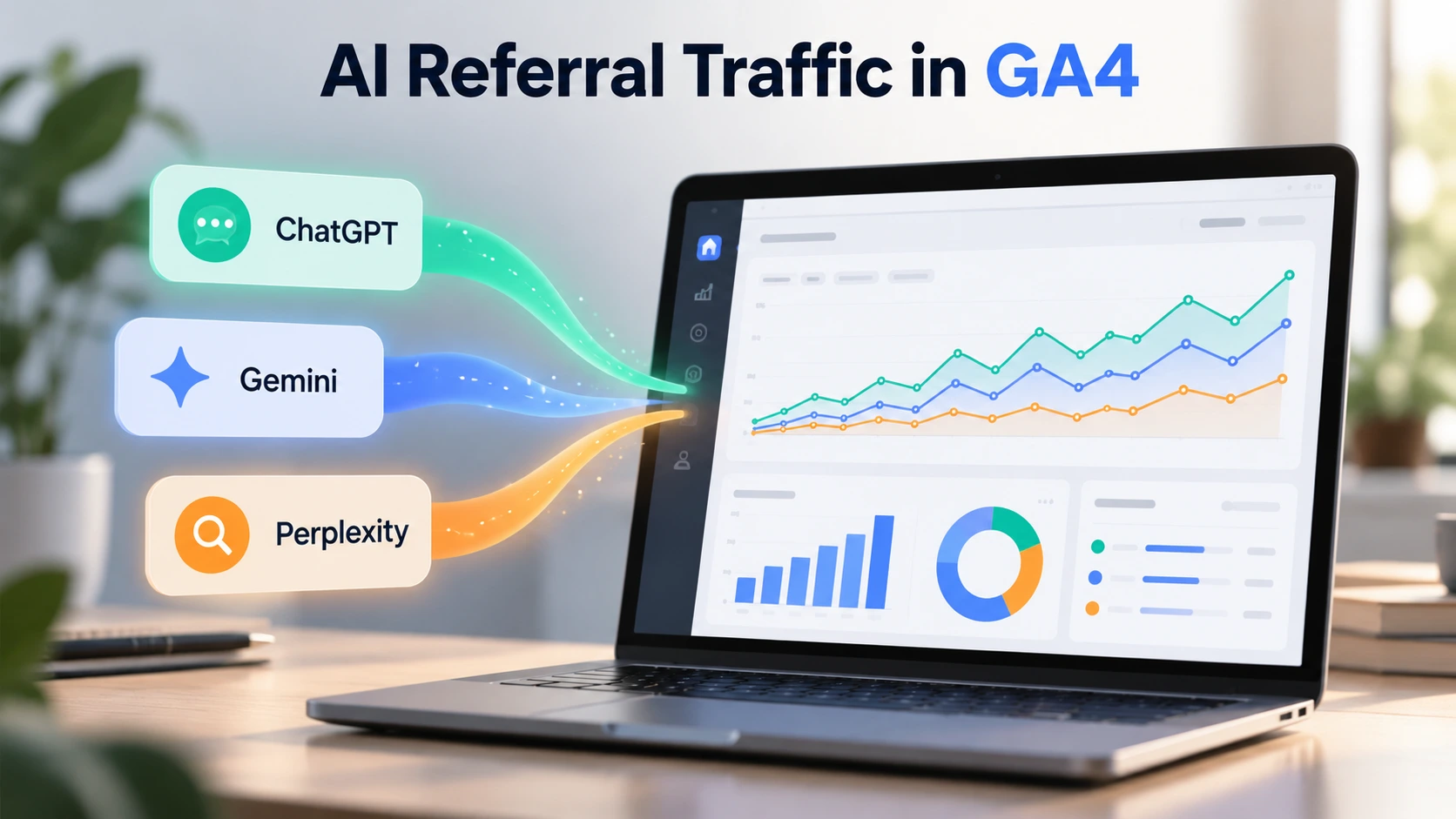
How to Track ChatGPT, Gemini and Perplexity Referral Traffic in GA4

Picture this. Your website appears in a ChatGPT answer, Gemini recommends one of your guides, and Perplexity cites your article as a trusted source. That’s great exposure. But here’s the million-dollar question: Are those AI recommendations actually bringing visitors to your website? Without proper tracking, you’re essentially hosting a party without knowing who showed up.

People no longer rely entirely on traditional search results to discover businesses, products, and information. They ask AI assistants for recommendations, comparisons, and solutions. For marketers, this shift creates a new opportunity, but it also introduces a measurement challenge. You need to understand where your Referral Traffic comes from and what visitors do after clicking an AI-generated recommendation.

That’s why a strategy built around Ai SEO Services should include traffic measurement from day one. Getting your website mentioned in AI-generated answers is valuable, but knowing whether those mentions lead to meaningful visits, enquiries, or sales gives you a much clearer picture of performance.

Fortunately, Google Analytics 4 (GA4) now makes this easier. In May 2026, Google introduced an AI Assistant channel that automatically identifies visits from recognised AI assistants, including ChatGPT and Gemini. You can also use source filters, custom channel groups, and exploration reports to investigate traffic from individual AI platforms.

Still, there’s a catch. Not every AI-driven visit carries enough information for GA4 to identify its source. Some visitors arrive through apps, redirects, or links that don’t pass referral details. So your goal isn’t to measure every possible AI interaction. It’s to build a reliable view of the traffic you can identify and use that information to make better marketing decisions.

What Is AI Referral Traffic in Google Analytics 4?

AI referral traffic describes website visits that originate when someone clicks a link inside an AI assistant’s response. For example, a user might ask ChatGPT for the best project management tools, receive a recommendation, and click through to a software company’s website.

Google introduced a dedicated AI Assistant channel on May 13, 2026. According to its official Google Analytics release notes, GA4 can automatically assign the medium ai-assistant and campaign (ai-assistant) when it recognises the referring AI platform. This means you no longer need a custom tracking setup just to see the supported AI assistants in your standard reports.

However, the built-in channel doesn’t eliminate the need for deeper analysis. You’ll still want to identify individual sources, study landing pages, and understand how visitors engage with your content.

Which AI Platforms Send Traffic to Your Website?

Before you begin tracking, you need to understand which sources to look for.

When someone clicks a link from an AI assistant, GA4 may record the platform’s domain as the session source. The exact source and medium depend on the platform, link parameters, and available referral information.

AI PlatformCommon GA4 SourcePossible Medium
ChatGPTchatgpt.com, chat.openai.comai-assistant, referral, or (not set)
Google Geminigemini.google.comai-assistant or referral
Perplexityperplexity.aiai-assistant or referral

These are useful source values to investigate, not a guarantee that every click will appear exactly this way.

For example, ChatGPT can add utm_source=chatgpt.com to links in search results. This helps analytics tools identify certain visits even when the browser doesn’t provide a traditional referrer.

How to Track ChatGPT, Gemini and Perplexity Traffic in GA4

You don’t need to install another analytics tool to get started. Follow these steps to identify AI-driven visits using your existing Google Analytics account.

Step 1: Open the Traffic Acquisition Report

  1. Sign in to your Google Analytics 4 property.
  2. Navigate to Reports → Acquisition → Traffic acquisition.
  3. Set your date range to the last 30 or 90 days.
  4. Find the AI Assistant row in your session channel group report.
  5. Review sessions, engaged sessions, engagement rate, and key events.

This report gives you an overview of AI Assistant traffic that GA4 recognises. You can also compare it with Organic Search, Referral, and Direct traffic.

Now, here’s where things become interesting.

Step 2: Identify Individual AI Traffic Sources

The AI Assistant channel combines visits from different platforms. To see whether ChatGPT or Gemini sends more visitors, you need a more detailed view.

In the same Traffic acquisition report:

  1. Click the primary dimension selector above the table.
  2. Choose Session source / medium.
  3. Search for chatgpt.com, gemini.google.com, or perplexity.ai.
  4. Compare sessions, engagement, and key events for each source.

You might see values such as chatgpt.com / ai-assistant or perplexity.ai / referral.

Don’t limit your research to the Referral channel alone. AI visits can appear in different categories depending on how GA4 processes their source information.

Step 3: Build a Custom AI Traffic Exploration

I recommend creating an exploration when you want to understand Referral Traffic beyond basic session counts.

Here’s how:

  1. Open Explore → Free form.
  2. Add dimensions such as Session source / medium, Landing page + query string, Device category, and Country.
  3. Add metrics such as Sessions, Engaged sessions, Key events, and Total revenue where relevant.
  4. Add a filter for the AI sources you want to analyse.
  5. Place the source dimension in Rows and your chosen metrics in Values.

This creates a flexible report you can use to investigate traffic patterns.

For instance, imagine a cybersecurity company publishes a guide about preventing phishing attacks. ChatGPT sends visitors to that article, while Perplexity sends visitors to a related software comparison.

Both platforms generate visits. However, the comparison page might produce more demo requests.

That tells you something useful: the page visitors reach can matter more than the platform that sends them.

How to Create a Custom AI Referral Traffic Channel in GA4

Although GA4 already provides an AI Assistant channel, a custom channel group gives you more control over which sources you track.

You might want a dedicated group for ChatGPT, Gemini, and Perplexity, especially if you want to review previously recorded visits with identifiable sources.

Set Up Your Custom Channel

Navigate to Admin → Data display → Channel groups, then:

  1. Create a custom channel group.
  2. Add a new channel named AI Traffic: ChatGPT, Gemini & Perplexity.
  3. Select Source as your matching condition.
  4. Choose matches regex.
  5. Enter the following expression:

GA4 session source regex

^(chatgpt\.com|chat\.openai\.com|gemini\.google\.com|bard\.google\.com|(www\.)?perplexity\.ai)$

This expression matches the listed source domains, including older ChatGPT and Gemini domains.

Place your new channel above the existing AI Assistant and Referral channels where necessary, then save the configuration. GA4 evaluates custom channel rules in order, so their position matters.

Custom channel groups can also classify available historical data using your new rules. However, they cannot recover source details that GA4 never collected.

Suggested image: Annotated GA4 custom channel group setup showing the Source field, matches regex option, and channel priority.

Which Metrics Should You Track for AI Referral Traffic?

Traffic volume is useful, but a thousand visitors who disappear immediately won’t necessarily grow your business.

Focus on the following performance indicators.

GA4 MetricWhat It Tells You
SessionsHow many visits come from identifiable AI sources
Engagement rateHow often visitors meaningfully interact with your website
Average engagement time per sessionHow long your website actively holds visitors’ attention
Landing pagesWhich pages attract AI-referred visitors
Key eventsHow often visitors complete important actions
Session key event rateWhat share of sessions trigger a key event
Total revenueHow much tracked revenue those visits generate

For businesses focused on enquiries, set up relevant actions such as successful contact form submissions, demo requests, or completed bookings as GA4 key events.

Once you connect those actions to traffic sources, you can judge Referral Traffic by business outcomes instead of raw clicks.

Think of it like a networking event. Meeting 50 people sounds impressive, but five conversations with serious buyers might deliver greater value.

Why Some AI Referral Traffic Doesn’t Appear in GA4

Here’s the part many marketers overlook.

GA4 can measure identifiable AI-driven visits, but it cannot capture the complete influence of AI-generated recommendations.

1. Missing Referral Information

Some AI apps, browsers, privacy settings, and redirects can strip referral details.

When that happens, GA4 may classify the visit as Direct or another source. You cannot reliably identify every such visit as AI-driven.

2. AI Overviews Are Different From Gemini

Google’s AI Overviews and AI Mode are part of Google Search.

GA4 includes their visits within Organic Search rather than the AI Assistant channel. This makes it difficult to separate those visits from traditional Google search traffic using GA4 alone.

3. Brand Mentions Don’t Always Generate Clicks

Someone might discover your product through Perplexity, remember your brand, and visit your website hours later.

GA4 might record a Direct or branded search visit instead.

The AI recommendation influenced the decision, but the analytics report won’t necessarily reveal that connection.

4. Tracking Rules Can Miss New Sources

AI platforms may change their domains, linking behaviour, and tracking parameters.

Review your custom rules periodically to keep your Referral Traffic reporting accurate.

How to Turn AI Traffic Data Into Better SEO Decisions

Collecting data is the easy part. Knowing what to do with it separates a useful report from another dashboard collecting digital dust.

I suggest reviewing your AI acquisition performance every month.

First, identify your most successful AI landing pages. Look for patterns in the topics, structure, and information those pages provide.

Next, compare the performance of different platforms. If Gemini visitors spend more time reading your technical guides while Perplexity visitors frequently reach pricing pages, investigate those differences.

Then improve the content that already attracts qualified visitors.

You can:

  • Answer specific questions clearly and early in articles.
  • Update outdated facts, statistics, and examples.
  • Add original research, useful comparisons, and expert explanations.
  • Strengthen relevant internal links to supporting resources.
  • Improve landing page navigation and calls to action.

Avoid assuming that every change in Referral Traffic comes from your latest content update. AI recommendations, user demand, and platform behaviour can all change independently.

Monitor longer-term trends and prioritise improvements that benefit readers, not just AI discovery systems.

Common Mistakes to Avoid When Tracking AI Traffic

Even experienced marketers can misinterpret their analytics when they start measuring AI search performance.

One common mistake involves comparing all Referral channel visits with AI Assistant visits. These categories don’t represent the same traffic sources.

Another involves using overly broad regex rules. For example, matching every source containing google could accidentally mix ordinary Google traffic with Gemini visits.

You should also avoid judging performance from a handful of sessions. Small samples can produce dramatic percentage changes that mean very little.

Finally, remember that different GA4 dimensions use different attribution scopes. For acquisition reporting, stick with session-level dimensions when comparing session-based traffic.

Consistency matters. The more carefully you define your measurement approach, the more useful your reporting becomes.

Final Thoughts: Make AI Traffic Measurable, Not Mysterious

AI search is changing how people discover websites, compare businesses, and make decisions. ChatGPT, Gemini, and Perplexity have become additional discovery channels that deserve attention in your analytics strategy.

The good news? You can already measure a meaningful portion of that activity with GA4.

Start with the built-in AI Assistant channel, investigate individual sources, and create a custom exploration when you need more detail. Most importantly, connect Referral Traffic with engagement, enquiries, and revenue.

If you haven’t checked your AI traffic sources yet, open GA4 and review your last 90 days. You might discover that some of your most valuable visitors have been arriving from places you weren’t watching.

Frequently Asked Questions

1. Can GA4 track traffic from ChatGPT?

Yes. GA4 can identify sessions from ChatGPT when sufficient source information is available. Look for chatgpt.com in your Session source / medium report or check the AI Assistant channel.

2. How can I track Perplexity referral traffic in GA4?

Open the Traffic acquisition report and search for perplexity.ai under Session source / medium. You can also include that domain in a custom channel group.

3. Does Google Analytics track Gemini traffic separately?

GA4 can recognise visits from gemini.google.com through its AI Assistant channel. However, Google Search AI Overviews and AI Mode visits remain part of Organic Search.

4. Why is ChatGPT traffic showing as Direct in GA4?

Missing referrer information can cause AI-driven visits to appear as Direct. However, a Direct visit alone does not prove that the visitor came from ChatGPT.

5. Can I track AI referral conversions in GA4?

Yes. Configure meaningful actions, such as form submissions or purchases, as key events. Then analyse those events by Session source / medium or your AI channel group to compare performance.

6. Is AI referral traffic the same as organic search traffic?

No. AI Assistant traffic and traditional Organic Search represent different acquisition categories in GA4. However, some AI-powered Google Search experiences contribute to Organic Search traffic.
Keyword Cannibalisation: How to Stop Your Pages Competing Against Each Other

Your website might have a ranking problem hiding in plain sight. You publish fresh content, target promising search terms, and keep improving your pages. Yet your rankings refuse to settle. One page climbs, another disappears, and neither delivers the traffic you expected. Welcome to Keyword Cannibalisation, where your own content can become its toughest competition.

Picture a growing marketing agency in New York. Its website has three articles about small business SEO, each covering nearly identical advice. All three attract impressions, but none consistently performs well for the agency’s most valuable searches. The team keeps publishing more articles, hoping something will stick. Unfortunately, more content doesn’t always mean more visibility.

This is why a thoughtful SEO Strategy for Businesses should do more than identify promising keywords. It should give every important page a clear purpose, connect related content logically, and help search engines understand which page best answers a particular question.

Here’s the interesting part: Google doesn’t automatically penalize websites for using the same keyword on multiple pages. You can mention a topic across dozens of articles without creating a problem. The real trouble starts when those pages serve nearly identical search intent and compete for the same audience.

I like to think of it as having two excellent salespeople pitch the same customer at the same time. Both have useful things to say, but their overlapping messages create unnecessary confusion. Your website can create a similar experience when multiple pages chase the same search demand without offering distinct value.

And that’s what makes Keyword Cannibalisation particularly frustrating. You may already have the content, authority, and expertise needed to perform better. You simply haven’t organized those assets effectively. Before rewriting your entire blog, you need to identify where the overlap actually hurts.

Google explains how it identifies preferred URLs among duplicate or very similar pages in its official guide to canonical URLs. This guidance helps explain how Google handles overlapping URLs, although canonicalization and keyword competition aren’t exactly the same issue. Understanding that distinction can save you from making expensive SEO mistakes.

What Is Keyword Cannibalisation in SEO?

Keyword Cannibalisation happens when two or more pages on your website target substantially the same search intent and their overlap weakens your organic search performance.

For example, imagine you run a software company with these articles:

  1. Best CRM Software for Small Businesses
  2. Top CRM Tools for Small Business Owners
  3. Small Business CRM Software Comparison

Each title sounds reasonable on its own. However, if all three articles review the same tools, answer the same questions, and target the same readers, they may compete for similar searches.

Instead of building one outstanding resource, you’ve created three moderately useful alternatives.

Still, sharing a keyword doesn’t automatically mean trouble.

SituationIs It a Problem?Recommended Action
Two articles answer the same question with similar informationPotentially yesCombine or differentiate
A product page and educational guide mention the same topicUsually notKeep distinct search intent
Two URLs display essentially identical contentDuplicate URL issueConsider redirects or canonical tags
Two related articles cover different customer questionsUsually notConnect with internal links
Multiple pages alternate in rankings while total traffic declinesWorth investigatingAudit queries, intent, and performance

The key isn’t how often you repeat a keyword across your website. It’s whether each page gives searchers a genuinely different reason to visit.

Why Competing Pages Can Hurt Your SEO Performance

Keyword Cannibalisation doesn’t guarantee a ranking drop. However, problematic overlap can create several practical issues.

Your strongest page may struggle to establish relevance

Imagine Google finding three similar articles on your website. Rather than presenting one consistently for an important query, it may select different URLs as content, relevance, and search conditions change.

That doesn’t necessarily indicate a technical error. But if your preferred page rarely appears and organic clicks decline, the overlap deserves investigation.

Valuable backlinks can support different URLs

Suppose one article earns backlinks from industry publications while another attracts internal links from your website.

Both pages may carry useful signals, but they cover essentially the same information.

Combining genuinely redundant content can help you concentrate your efforts on a stronger resource rather than maintaining separate versions.

Visitors may land on the wrong page

A person searching for “CRM software pricing” probably wants costs, plan comparisons, and purchasing information.

If Google instead surfaces your introductory CRM guide, that visitor may leave without finding a useful answer.

The result? You attract a visitor but miss the chance to satisfy their needs or convert them into a customer.

Your content maintenance becomes harder

Every software update, pricing change, or industry development forces your team to review several similar articles.

That’s an expensive way to say the same thing three times.

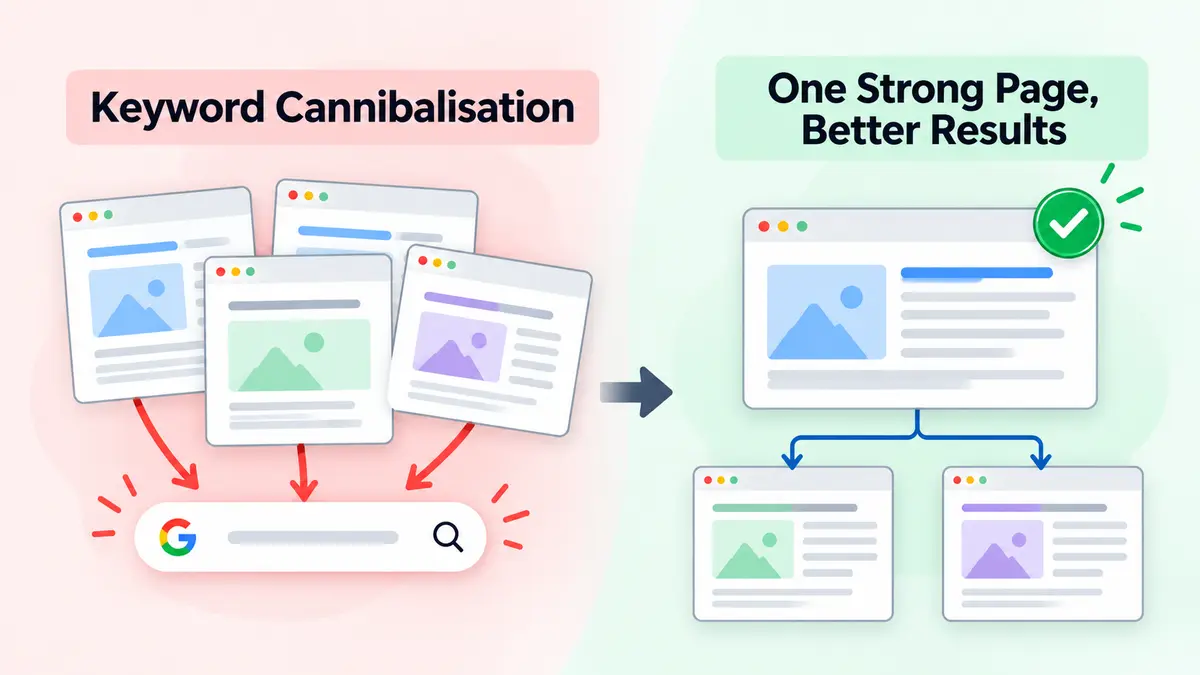
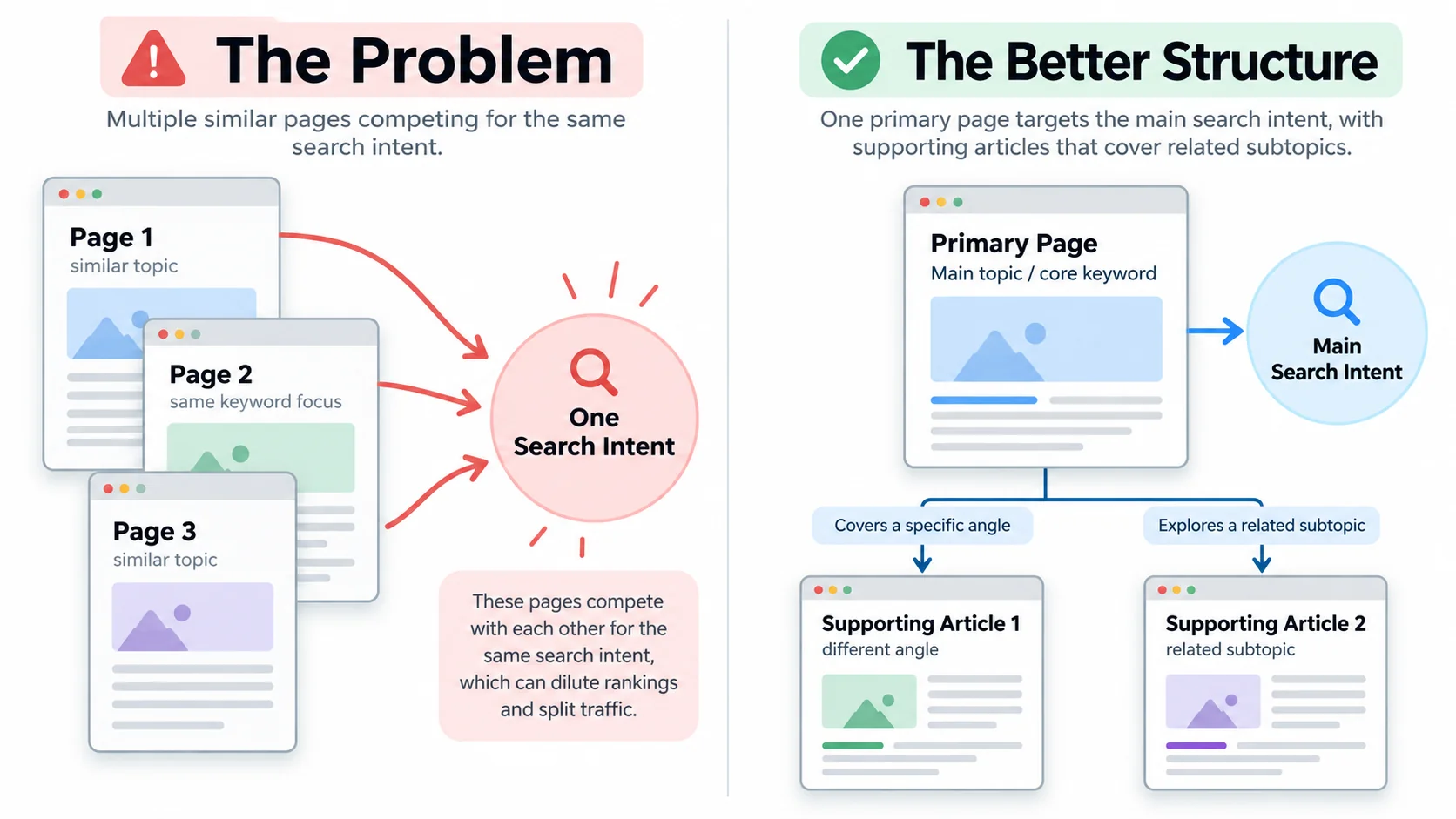
Keyword Cannibalisation to One Strong Page
A simple diagram showing three overlapping website pages targeting one search intent, followed by a second diagram showing one primary page supported by two distinct articles.

How to Identify Keyword Cannibalisation on Your Website

You don’t need an expensive enterprise SEO platform to begin. Google Search Console gives you a useful starting point.

Step 1: Open Google Search Console

Navigate to Performance → Search results.

Choose a suitable date range, such as the last three months, and enable clicks, impressions, click through rate, and average position.

Start with search queries that matter to your business, especially those connected to services, products, or lead generation.

Step 2: Check which URLs appear for the same query

Select a search query from the Queries tab. Then open the Pages tab.

You’ll see which URLs received impressions or clicks for that query during your selected period.

If several pages appear, inspect them rather than immediately assuming there’s a problem.

Step 3: Compare performance over time

Look for patterns such as:

  • Different URLs gaining visibility for the same important query across different periods.
  • An unintended page receiving more impressions than your preferred landing page.
  • Declining combined clicks despite multiple pages appearing for related searches.
  • Similar articles with little meaningful difference in their content.

Remember, search rankings change for many reasons. Location, device, competitors, and evolving search intent can all influence results.

Two pages appearing for one query is a reason to investigate, not proof of cannibalization.

Step 4: Examine the search results yourself

Search your target query and study the leading results.

Does Google predominantly display product pages, guides, comparison articles, or local business listings?

Your preferred page should match the dominant search intent while providing something useful that competing content doesn’t.

Step 5: Create a keyword mapping sheet

A simple spreadsheet can expose problems that individual page reviews miss.

Page URLPrimary Search IntentTarget KeywordAction
/small-business-seo/Educational guideSmall business SEOKeep
/seo-tips-small-business/Similar educational guideSEO tips for small businessReview for merge
/seo-services/Commercial service inquirySEO servicesKeep separate
/seo-pricing/Pricing researchSEO pricingKeep separate

This exercise also makes future content planning much easier.

How to Fix Keyword Cannibalisation Without Losing Valuable Traffic

The solution isn’t to delete every article that shares a keyword. You need to understand what each page contributes before changing anything.

1. Choose one primary page for each important search intent

Identify the URL that deserves to become your main destination.

Consider its relevance, existing traffic, backlinks, conversion performance, content quality, and ability to satisfy the searcher.

Don’t automatically select the oldest URL or the page with the highest word count.

The strongest choice is the page that best serves your audience and business goals.

2. Merge content that genuinely duplicates another page

If two articles answer the same question, consolidation may offer the cleanest solution.

Review both pieces and preserve their strongest elements. Keep useful examples, unique insights, relevant FAQs, and information that improves the reader’s experience.

Then publish the improved version on your preferred URL.

If you retire the other page, implement a 301 redirect to the most relevant surviving page.

Update internal links and your XML sitemap accordingly.

A word of caution: never redirect an unrelated article simply because it contains a similar keyword. The destination must make sense to someone following the old URL.

3. Give overlapping pages different search intents

Sometimes you should preserve both pages.

Consider these searches:

  • “What is email marketing?” seeks an explanation.
  • “Best email marketing platforms” seeks a comparison.
  • “Email marketing software pricing” seeks cost information.

All three concern email marketing, but they represent different stages of the buying journey.

You can support each intent with its own focused page.

Adjust headings, introductions, examples, FAQs, and content depth so each page answers its designated question.

Don’t simply swap keywords in the title and leave the article unchanged. That’s cosmetic surgery for a problem that needs structural work.

4. Improve your internal linking structure

Internal links help readers move between related topics and give search engines additional context about your pages.

Build a clear content hierarchy:

  1. Create a comprehensive primary guide for a broad topic.
  2. Publish supporting articles that answer narrower questions.
  3. Link supporting articles to the relevant primary guide.
  4. Use descriptive anchor text that naturally explains the destination.

For example, a main guide about technical SEO might connect to separate articles on crawl errors, XML sitemaps, and indexing issues.

Each supporting article contributes something different while reinforcing the larger topic.

5. Use canonical tags only when appropriate

Canonical tags help indicate your preferred URL when several URLs contain duplicate or very similar content.

They work well for situations involving URL parameters, alternate versions, or substantially duplicated pages.

However, a canonical tag isn’t a magic solution for two different articles competing for the same search intent.

Google treats canonical annotations as signals rather than absolute instructions.

Likewise, avoid applying noindex to useful pages simply because they share keywords. Doing so removes those pages from search eligibility and may sacrifice traffic you could have preserved.

6. Monitor results after making changes

Once you complete your keyword cannibalization fix, track the affected page group instead of focusing on a single ranking.

Watch:

  • Combined organic clicks and impressions.
  • Visibility for your target queries.
  • Click through rate and relevant conversions.
  • Which URLs Google continues to show.

Compare similar time periods where possible and account for seasonality.

Don’t expect every change to produce immediate improvements. Search engines need time to recrawl pages, process redirects, and reassess their relevance.

A Practical Example: Three Articles Become One Strong Resource

Imagine an accounting firm in Chicago publishing three articles about small business tax deductions.

Each article explains similar expenses, repeats basic eligibility information, and provides nearly identical advice.

Instead of maintaining all three, the firm creates one comprehensive deduction guide.

It preserves useful examples, organizes deductible expense categories, adds relevant tax year details, and explains when readers should consult a qualified professional.

Next, the firm redirects the redundant URLs and updates links throughout its website.

The potential benefit goes beyond cleaner SEO. Readers get one better organized resource, and the firm has fewer pages to maintain.

This is an illustrative scenario, not a guaranteed ranking outcome. Consolidation works best when the original pages truly serve the same purpose.

How to Prevent Keyword Cannibalisation Before Publishing

Fixing existing problems matters. Preventing new ones saves even more effort.

Before approving your next article, ask one simple question:

Does this page answer a meaningful question that my existing content doesn’t already answer well?

Then follow a few practical habits.

Maintain a keyword map. Give every important page a primary topic, intended audience, and search intent.

Review existing content before creating new pages. Sometimes updating an older article delivers more value than publishing another similar one.

Build topic clusters with clear boundaries. Supporting articles should explore useful subtopics rather than repeat your main guide.

Audit content periodically. Review overlapping articles, outdated information, and unexpected changes in organic performance every few months.

Think beyond exact keyword matches. Google can recognize related language and concepts. Two articles may compete even when their titles contain different words.

A good content strategy doesn’t measure success only by the number of published URLs. It measures how effectively those pages answer questions and contribute to meaningful business results.

Final Thoughts: Stop Making Your Own Content the Competition

Your website doesn’t need five articles fighting for one search result. It needs the right pages answering the right questions.

Keyword Cannibalisation often reveals a content planning problem rather than a shortage of content. When you identify overlapping intent, consolidate redundant pages, strengthen internal links, and give every URL a clear job, you create a more useful experience for both visitors and search engines.

And sometimes, publishing less while improving what you already have is the smarter growth strategy.

Ready to stop competing against your own website? Start with a focused content audit. If you need help identifying overlapping pages, refining your keyword strategy, or improving organic performance, contact our SEO team to discuss a practical plan for your business.

Frequently Asked Questions

1. Is Keyword Cannibalisation always bad for SEO?

No. Multiple pages can rank for similar searches without harming performance, especially when they serve different needs. Investigate when overlapping pages weaken relevance, attract the wrong visitors, or contribute to declining organic results.

2. How do I find competing keywords in Google Search Console?

Open the Search results Performance report, select a query, and examine the Pages tab. Compare URLs across different periods to identify recurring overlap and determine whether it affects performance.

3. Should I delete pages that target the same keyword?

Not automatically. First, compare their content and search intent. Merge genuinely redundant pages, redirect retired URLs appropriately, or improve each page’s unique focus when both offer meaningful value.

4. How long does it take to recover after fixing cannibalization?

There is no guaranteed recovery timeline. Some changes may appear after Google recrawls the affected URLs, while broader performance trends can take weeks or longer to evaluate. Monitor clicks, impressions, and conversions rather than expecting an immediate ranking jump.

Why Google Crawls a Page but Doesn’t Index It

You finish writing a new page, publish it, and probably do what most website owners do next: wait. Maybe you check Google Search Console the next morning. Then again a few days later. When the report finally shows that Google has crawled the URL but the page still isn’t showing in search, it can leave you wondering what went wrong. Continue reading “Why Google Crawls a Page but Doesn’t Index It”

SEO for New Products: How to Build Search Visibility From Day One

A new product can be ready long before anyone searches for it.The stock is sitting in the warehouse. The photographs have been approved. The checkout page works, and the launch announcement is ready to go. Then the product goes live and something feels wrong: hardly anyone arrives through search. Continue reading “SEO for New Products: How to Build Search Visibility From Day One”