
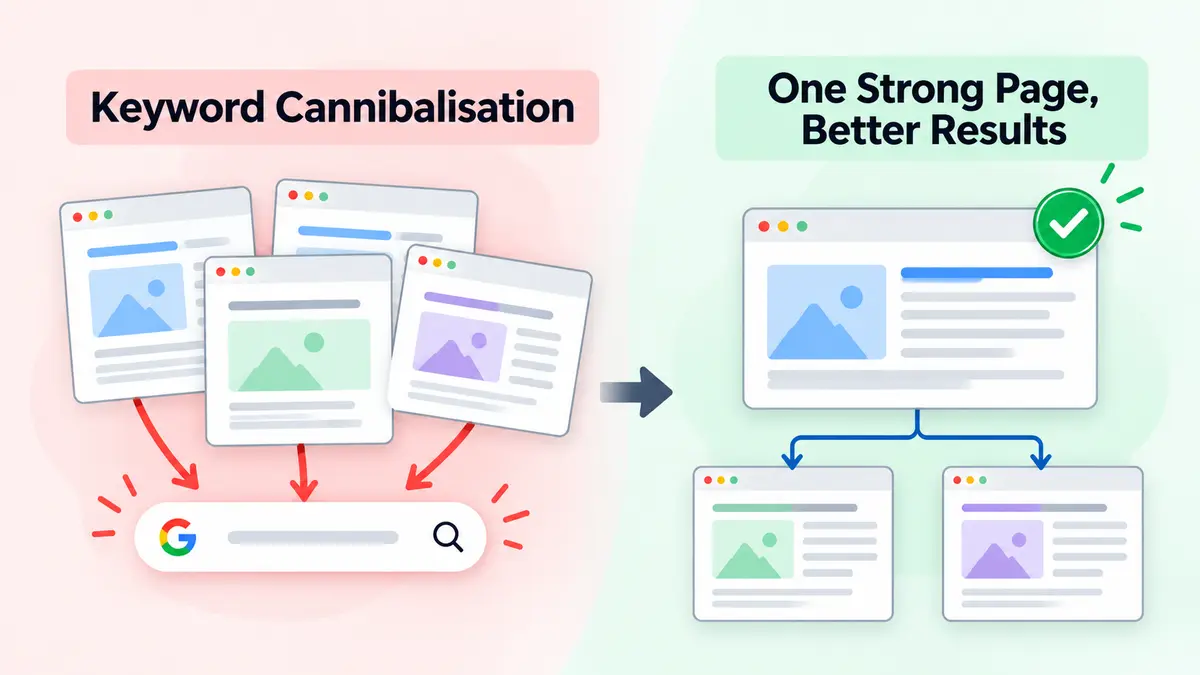
Your website might have a ranking problem hiding in plain sight. You publish fresh content, target promising search terms, and keep improving your pages. Yet your rankings refuse to settle. One page climbs, another disappears, and neither delivers the traffic you expected. Welcome to Keyword Cannibalisation, where your own content can become its toughest competition.
Picture a growing marketing agency in New York. Its website has three articles about small business SEO, each covering nearly identical advice. All three attract impressions, but none consistently performs well for the agency’s most valuable searches. The team keeps publishing more articles, hoping something will stick. Unfortunately, more content doesn’t always mean more visibility.
This is why a thoughtful SEO Strategy for Businesses should do more than identify promising keywords. It should give every important page a clear purpose, connect related content logically, and help search engines understand which page best answers a particular question.
Here’s the interesting part: Google doesn’t automatically penalize websites for using the same keyword on multiple pages. You can mention a topic across dozens of articles without creating a problem. The real trouble starts when those pages serve nearly identical search intent and compete for the same audience.
I like to think of it as having two excellent salespeople pitch the same customer at the same time. Both have useful things to say, but their overlapping messages create unnecessary confusion. Your website can create a similar experience when multiple pages chase the same search demand without offering distinct value.
And that’s what makes Keyword Cannibalisation particularly frustrating. You may already have the content, authority, and expertise needed to perform better. You simply haven’t organized those assets effectively. Before rewriting your entire blog, you need to identify where the overlap actually hurts.
Google explains how it identifies preferred URLs among duplicate or very similar pages in its official guide to canonical URLs. This guidance helps explain how Google handles overlapping URLs, although canonicalization and keyword competition aren’t exactly the same issue. Understanding that distinction can save you from making expensive SEO mistakes.
What Is Keyword Cannibalisation in SEO?
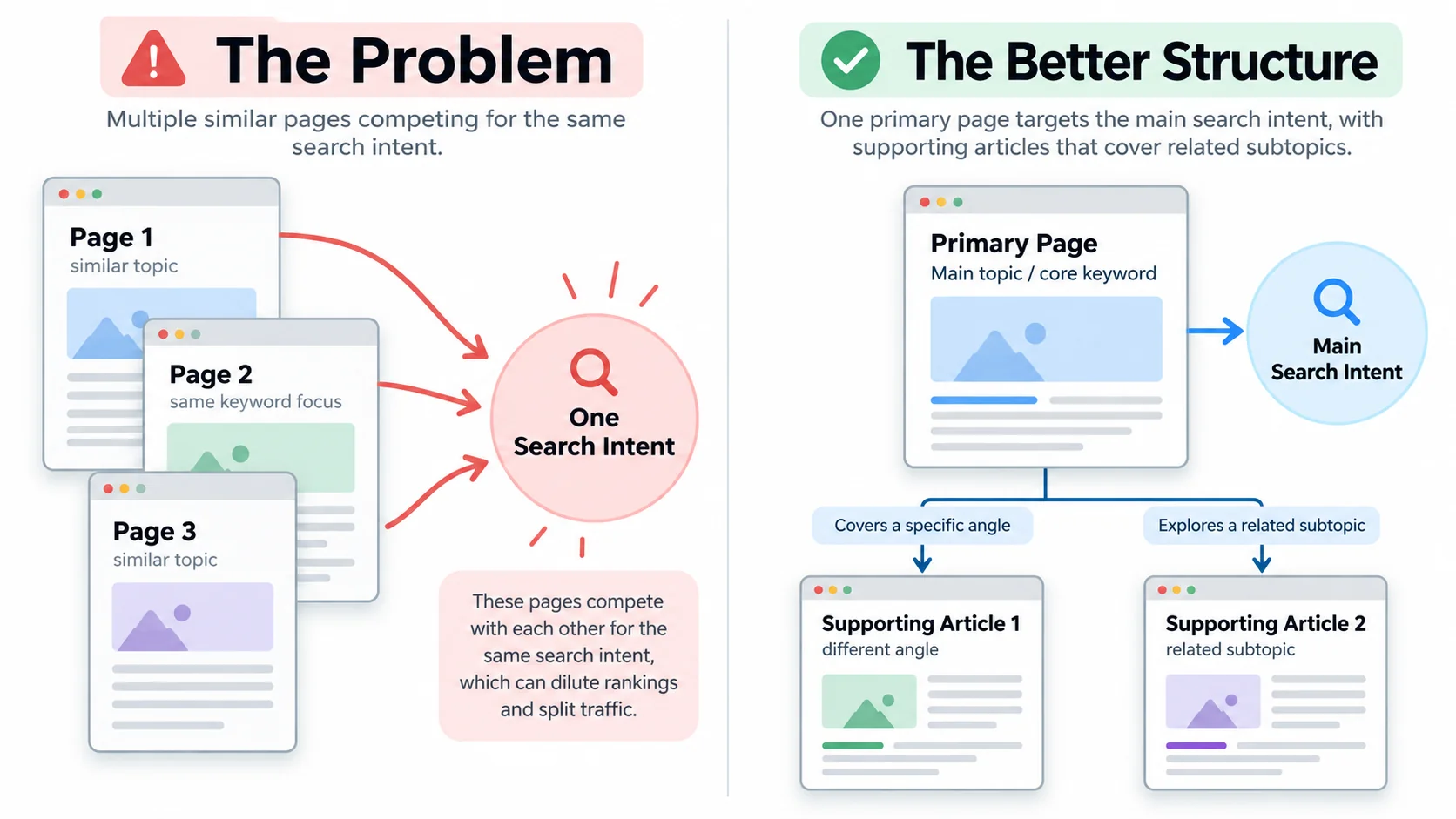
Keyword Cannibalisation happens when two or more pages on your website target substantially the same search intent and their overlap weakens your organic search performance.
For example, imagine you run a software company with these articles:
- Best CRM Software for Small Businesses
- Top CRM Tools for Small Business Owners
- Small Business CRM Software Comparison
Each title sounds reasonable on its own. However, if all three articles review the same tools, answer the same questions, and target the same readers, they may compete for similar searches.
Instead of building one outstanding resource, you’ve created three moderately useful alternatives.
Still, sharing a keyword doesn’t automatically mean trouble.
| Situation | Is It a Problem? | Recommended Action |
| Two articles answer the same question with similar information | Potentially yes | Combine or differentiate |
| A product page and educational guide mention the same topic | Usually not | Keep distinct search intent |
| Two URLs display essentially identical content | Duplicate URL issue | Consider redirects or canonical tags |
| Two related articles cover different customer questions | Usually not | Connect with internal links |
| Multiple pages alternate in rankings while total traffic declines | Worth investigating | Audit queries, intent, and performance |
The key isn’t how often you repeat a keyword across your website. It’s whether each page gives searchers a genuinely different reason to visit.
Why Competing Pages Can Hurt Your SEO Performance
Keyword Cannibalisation doesn’t guarantee a ranking drop. However, problematic overlap can create several practical issues.
Your strongest page may struggle to establish relevance
Imagine Google finding three similar articles on your website. Rather than presenting one consistently for an important query, it may select different URLs as content, relevance, and search conditions change.
That doesn’t necessarily indicate a technical error. But if your preferred page rarely appears and organic clicks decline, the overlap deserves investigation.
Valuable backlinks can support different URLs
Suppose one article earns backlinks from industry publications while another attracts internal links from your website.
Both pages may carry useful signals, but they cover essentially the same information.
Combining genuinely redundant content can help you concentrate your efforts on a stronger resource rather than maintaining separate versions.
Visitors may land on the wrong page
A person searching for “CRM software pricing” probably wants costs, plan comparisons, and purchasing information.
If Google instead surfaces your introductory CRM guide, that visitor may leave without finding a useful answer.
The result? You attract a visitor but miss the chance to satisfy their needs or convert them into a customer.
Your content maintenance becomes harder
Every software update, pricing change, or industry development forces your team to review several similar articles.
That’s an expensive way to say the same thing three times.
How to Identify Keyword Cannibalisation on Your Website
You don’t need an expensive enterprise SEO platform to begin. Google Search Console gives you a useful starting point.
Step 1: Open Google Search Console
Navigate to Performance → Search results.
Choose a suitable date range, such as the last three months, and enable clicks, impressions, click through rate, and average position.
Start with search queries that matter to your business, especially those connected to services, products, or lead generation.
Step 2: Check which URLs appear for the same query
Select a search query from the Queries tab. Then open the Pages tab.
You’ll see which URLs received impressions or clicks for that query during your selected period.
If several pages appear, inspect them rather than immediately assuming there’s a problem.
Step 3: Compare performance over time
Look for patterns such as:
- Different URLs gaining visibility for the same important query across different periods.
- An unintended page receiving more impressions than your preferred landing page.
- Declining combined clicks despite multiple pages appearing for related searches.
- Similar articles with little meaningful difference in their content.
Remember, search rankings change for many reasons. Location, device, competitors, and evolving search intent can all influence results.
Two pages appearing for one query is a reason to investigate, not proof of cannibalization.
Step 4: Examine the search results yourself
Search your target query and study the leading results.
Does Google predominantly display product pages, guides, comparison articles, or local business listings?
Your preferred page should match the dominant search intent while providing something useful that competing content doesn’t.
Step 5: Create a keyword mapping sheet
A simple spreadsheet can expose problems that individual page reviews miss.
| Page URL | Primary Search Intent | Target Keyword | Action |
| /small-business-seo/ | Educational guide | Small business SEO | Keep |
| /seo-tips-small-business/ | Similar educational guide | SEO tips for small business | Review for merge |
| /seo-services/ | Commercial service inquiry | SEO services | Keep separate |
| /seo-pricing/ | Pricing research | SEO pricing | Keep separate |
This exercise also makes future content planning much easier.
How to Fix Keyword Cannibalisation Without Losing Valuable Traffic
The solution isn’t to delete every article that shares a keyword. You need to understand what each page contributes before changing anything.
1. Choose one primary page for each important search intent
Identify the URL that deserves to become your main destination.
Consider its relevance, existing traffic, backlinks, conversion performance, content quality, and ability to satisfy the searcher.
Don’t automatically select the oldest URL or the page with the highest word count.
The strongest choice is the page that best serves your audience and business goals.
2. Merge content that genuinely duplicates another page
If two articles answer the same question, consolidation may offer the cleanest solution.
Review both pieces and preserve their strongest elements. Keep useful examples, unique insights, relevant FAQs, and information that improves the reader’s experience.
Then publish the improved version on your preferred URL.
If you retire the other page, implement a 301 redirect to the most relevant surviving page.
Update internal links and your XML sitemap accordingly.
A word of caution: never redirect an unrelated article simply because it contains a similar keyword. The destination must make sense to someone following the old URL.
3. Give overlapping pages different search intents
Sometimes you should preserve both pages.
Consider these searches:
- “What is email marketing?” seeks an explanation.
- “Best email marketing platforms” seeks a comparison.
- “Email marketing software pricing” seeks cost information.
All three concern email marketing, but they represent different stages of the buying journey.
You can support each intent with its own focused page.
Adjust headings, introductions, examples, FAQs, and content depth so each page answers its designated question.
Don’t simply swap keywords in the title and leave the article unchanged. That’s cosmetic surgery for a problem that needs structural work.
4. Improve your internal linking structure
Internal links help readers move between related topics and give search engines additional context about your pages.
Build a clear content hierarchy:
- Create a comprehensive primary guide for a broad topic.
- Publish supporting articles that answer narrower questions.
- Link supporting articles to the relevant primary guide.
- Use descriptive anchor text that naturally explains the destination.
For example, a main guide about technical SEO might connect to separate articles on crawl errors, XML sitemaps, and indexing issues.
Each supporting article contributes something different while reinforcing the larger topic.
5. Use canonical tags only when appropriate
Canonical tags help indicate your preferred URL when several URLs contain duplicate or very similar content.
They work well for situations involving URL parameters, alternate versions, or substantially duplicated pages.
However, a canonical tag isn’t a magic solution for two different articles competing for the same search intent.
Google treats canonical annotations as signals rather than absolute instructions.
Likewise, avoid applying noindex to useful pages simply because they share keywords. Doing so removes those pages from search eligibility and may sacrifice traffic you could have preserved.
6. Monitor results after making changes
Once you complete your keyword cannibalization fix, track the affected page group instead of focusing on a single ranking.
Watch:
- Combined organic clicks and impressions.
- Visibility for your target queries.
- Click through rate and relevant conversions.
- Which URLs Google continues to show.
Compare similar time periods where possible and account for seasonality.
Don’t expect every change to produce immediate improvements. Search engines need time to recrawl pages, process redirects, and reassess their relevance.
A Practical Example: Three Articles Become One Strong Resource
Imagine an accounting firm in Chicago publishing three articles about small business tax deductions.
Each article explains similar expenses, repeats basic eligibility information, and provides nearly identical advice.
Instead of maintaining all three, the firm creates one comprehensive deduction guide.
It preserves useful examples, organizes deductible expense categories, adds relevant tax year details, and explains when readers should consult a qualified professional.
Next, the firm redirects the redundant URLs and updates links throughout its website.
The potential benefit goes beyond cleaner SEO. Readers get one better organized resource, and the firm has fewer pages to maintain.
This is an illustrative scenario, not a guaranteed ranking outcome. Consolidation works best when the original pages truly serve the same purpose.
How to Prevent Keyword Cannibalisation Before Publishing
Fixing existing problems matters. Preventing new ones saves even more effort.
Before approving your next article, ask one simple question:
Does this page answer a meaningful question that my existing content doesn’t already answer well?
Then follow a few practical habits.
Maintain a keyword map. Give every important page a primary topic, intended audience, and search intent.
Review existing content before creating new pages. Sometimes updating an older article delivers more value than publishing another similar one.
Build topic clusters with clear boundaries. Supporting articles should explore useful subtopics rather than repeat your main guide.
Audit content periodically. Review overlapping articles, outdated information, and unexpected changes in organic performance every few months.
Think beyond exact keyword matches. Google can recognize related language and concepts. Two articles may compete even when their titles contain different words.
A good content strategy doesn’t measure success only by the number of published URLs. It measures how effectively those pages answer questions and contribute to meaningful business results.
Final Thoughts: Stop Making Your Own Content the Competition
Your website doesn’t need five articles fighting for one search result. It needs the right pages answering the right questions.
Keyword Cannibalisation often reveals a content planning problem rather than a shortage of content. When you identify overlapping intent, consolidate redundant pages, strengthen internal links, and give every URL a clear job, you create a more useful experience for both visitors and search engines.
And sometimes, publishing less while improving what you already have is the smarter growth strategy.
Ready to stop competing against your own website? Start with a focused content audit. If you need help identifying overlapping pages, refining your keyword strategy, or improving organic performance, contact our SEO team to discuss a practical plan for your business.
Frequently Asked Questions
1. Is Keyword Cannibalisation always bad for SEO?
No. Multiple pages can rank for similar searches without harming performance, especially when they serve different needs. Investigate when overlapping pages weaken relevance, attract the wrong visitors, or contribute to declining organic results.
2. How do I find competing keywords in Google Search Console?
Open the Search results Performance report, select a query, and examine the Pages tab. Compare URLs across different periods to identify recurring overlap and determine whether it affects performance.
3. Should I delete pages that target the same keyword?
Not automatically. First, compare their content and search intent. Merge genuinely redundant pages, redirect retired URLs appropriately, or improve each page’s unique focus when both offer meaningful value.
4. How long does it take to recover after fixing cannibalization?
There is no guaranteed recovery timeline. Some changes may appear after Google recrawls the affected URLs, while broader performance trends can take weeks or longer to evaluate. Monitor clicks, impressions, and conversions rather than expecting an immediate ranking jump.