
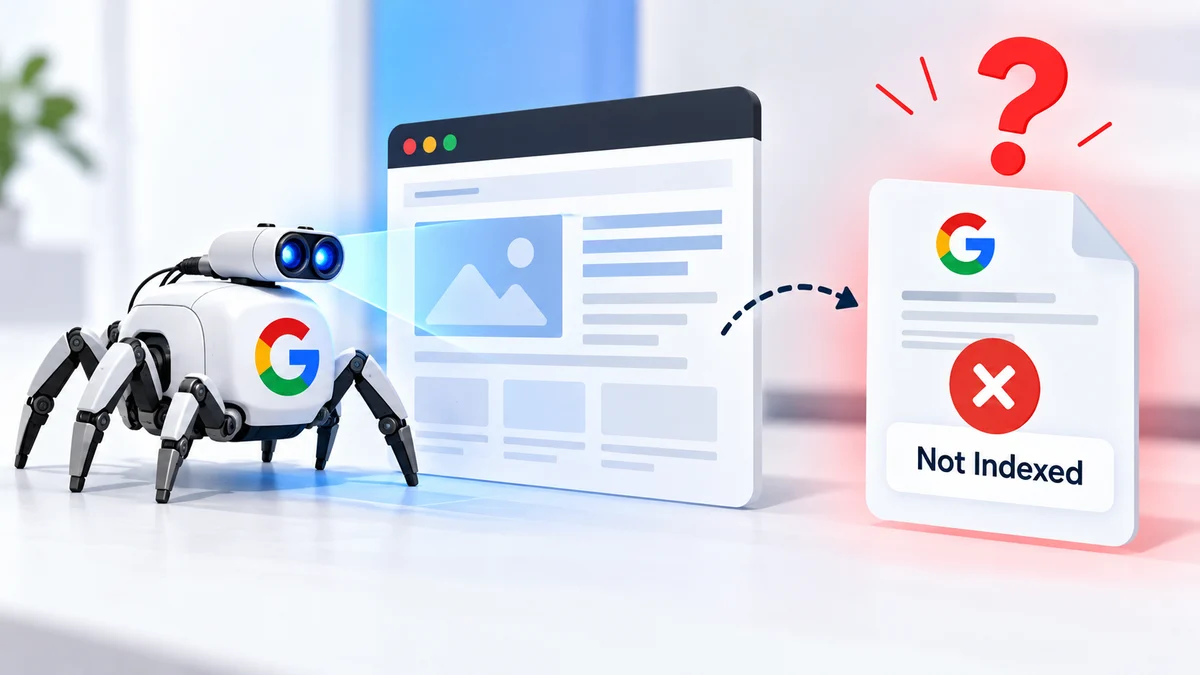
You finish writing a new page, publish it, and probably do what most website owners do next: wait. Maybe you check Google Search Console the next morning. Then again a few days later. When the report finally shows that Google has crawled the URL but the page still isn’t showing in search, it can leave you wondering what went wrong.
The page loads. The content is there. The links work. Google even visited it. So why isn’t it in the search results?
The answer becomes clearer once y
ou separate crawling from indexing. Google can access a page without deciding to keep that page in its search database. Best Technical SEO Services can be useful when the issue appears across several URLs, but the first step is understanding what Google’s “crawled – currently not indexed” message actually tells you.
Crawling Does Not Mean Indexing
Crawling is essentially Google’s way of visiting a URL. Googlebot finds a page through links, sitemaps or other discovery methods and requests the URL. It then reads the information it can access. That may include the text, links, images and other elements that form the page.
Indexing comes later.
After crawling, Google has to process the information and decide how that URL fits into its search system. It may consider the page useful enough to include, or it may decide that another URL already covers the subject better.
That is why a successful crawl does not guarantee an appearance in search. It is worth remembering this distinction because many website owners respond to an indexing problem by repeatedly requesting another crawl. If Google has already visited the page, more requests may not change much. You first need to understand why Google hasn’t chosen to include the URL.
What “Crawled – Currently Not Indexed” Means
The message sounds fairly direct, but it does not mean that Google has permanently rejected your page.
“Crawled – currently not indexed” means Google has visited the URL but, at the time of the report, has not added it to the Index.
There is another status that often causes confusion: “Discovered – currently not indexed.” That means Google knows about the URL but hasn’t crawled it yet.
The two situations call for different approaches.
With a discovered URL, you may need to look at how Google finds the page. With a crawled URL, Google has already reached it, so your attention should move towards the page itself and the signals surrounding it.
You should also avoid treating the status as a verdict on your entire website. One page sitting outside the Index does not automatically point to a serious SEO problem.
Why a Crawled Page May Not Enter the Index
There isn’t one single reason behind every unindexed URL. Google looks at many signals, and the reason can vary from one website to another.
Here are some of the areas worth checking.
The Page Doesn’t Add Much New Information
This is common on websites that have grown quickly.
A business may create separate pages for several locations. An online store may have multiple URLs for slightly different product combinations. A blog may publish several articles that answer almost the same question.
The pages can all be technically different URLs while being very similar to a reader. Imagine a cleaning company creates ten suburb pages. Each page has the same introduction, the same list of services and the same advice, with only the suburb name changed. From a searcher’s perspective, those pages may offer little reason to choose one over another.
Take a close look at similar pages on your own website. Ask whether the page gives visitors something they couldn’t get from another URL. If it doesn’t, you may have a better opportunity in combining related pages, removing unnecessary variations or making the individual pages genuinely different and useful.
The Content Doesn’t Answer the Real Question
Using the correct keyword isn’t enough. People search because they want something. They may want an answer, instructions, a comparison, a solution to a problem or simply a quick explanation.
If your page doesn’t deliver what they expected, adding the keyword another ten times won’t fix it. Take this article as an example. Someone searching why Google crawls a page but doesn’t index it probably doesn’t want a dictionary definition of indexing. They want to know why it happens and what they should check.
Good content starts there. Before changing an unindexed page, read the search query and ask yourself what the person behind it is actually trying to accomplish. Then look at your article from that person’s perspective.
Does it get to the answer? Does it explain the confusing parts? Does it give the reader something practical to do? Those questions are often more useful than simply checking keyword frequency.
Google May Prefer Another URL
Sometimes the issue isn’t that Google dislikes the page. It may simply see another URL as a better representative of the same information. This can happen when several pages cover closely related subjects or when a website creates multiple versions of the same URL.
Canonical tags help communicate which version you prefer. But canonical tags aren’t the only signal Google can use. Internal links matter. Redirects matter. Sitemap entries matter. The content itself matters too.
Suppose Page A has a canonical pointing to Page A, but most of the website’s internal links point to Page B. If the sitemap also favours Page B, the signals aren’t particularly tidy. Rather than changing the canonical every time Search Console reports a different choice, look at the whole picture.
Which URL should actually be the main page? Once you’ve answered that, make the rest of the site’s signals consistent with it.
The Page Is Almost Orphaned
Publishing a page doesn’t automatically connect it to the rest of your website. A new article might be sitting in the sitemap with no meaningful links pointing towards it. Visitors may struggle to find it, and search engines receive less information about where the page fits into the site’s overall structure.
This is where internal linking can help. Suppose you have an older article about website structure and you’ve just published a detailed guide about indexing. If the older article naturally mentions indexing, linking the two pages makes sense.
The same applies to service pages, category pages and related guides. Don’t turn internal linking into a numbers game. You don’t need to place links everywhere. Add them where they make the website easier to use.
Google Can’t Properly Process the Main Content
JavaScript-heavy websites can sometimes create problems here. A page may look perfectly normal in your browser because your browser executes the scripts needed to display everything. Google’s systems also process JavaScript, but problems can still occur if important content or resources don’t load correctly.
For example, the main text might depend on a script that fails during rendering. Important links could also be generated in a way that doesn’t work as expected. If you suspect this, use Google’s URL Inspection tools and investigate what Google can actually access.
Don’t rely only on what you see on your own screen. The browser view and Google’s processed version of a page aren’t necessarily identical.
A Noindex Setting Is Telling Google Not to Index It
This one is easy to overlook. A website owner can spend hours improving an article without noticing that a technical setting is effectively saying, “Don’t put this page in the Index.”
The instruction can come from a meta robots tag or, in some cases, an X-Robots-Tag HTTP header. Developers sometimes use noindex while building or testing a website and forget to remove it. An SEO plugin or CMS setting can also create an unexpected configuration.
If a page should appear in search, check these settings before doing anything more complicated.
Quick Indexing Check
| Area | What to Look At | What Could Go Wrong |
| Page access | Does the URL load normally? | Server or access problem |
| Robots.txt | Are important resources accessible? | Crawling restrictions |
| Robots directive | Is noindex present? | Page excluded from search |
| Canonical | Which URL is preferred? | Conflicting URL signals |
| Content | Is the information original? | Repetitive or thin content |
| Search intent | Does it answer the query? | Poor topic alignment |
| Internal links | Can related pages reach it? | Weak site connection |
| Rendering | Can Google process the content? | JavaScript problems |
| Sitemap | Is the right URL listed? | Incorrect URL submitted |
| Search Console | What status does Google report? | Further investigation needed |
Start With Search Console, But Don’t Stop There
Google Search Console should be one of the first places you look. Inspect the affected URL and read the information available there. Pay attention to the indexing status, canonical information and any technical warnings.
But don’t treat Search Console as the entire diagnosis.
Open the page yourself.
Does it load quickly enough? Is the main text visible? Do the important links work? Does the page look sensible on a phone? Can someone understand the purpose of the page within the first few seconds?
Then look at the content.
Sometimes an indexing issue becomes obvious only when you stop looking at the page as its author. A paragraph that seemed useful while writing may turn out to be filler when you read it later. Two sections may make almost the same point. A page may answer the topic generally but miss the specific question people are asking.
Those are worth fixing.
Don’t Add Words Just to Increase the Word Count
There is a temptation to respond to an unindexed page by making it longer.
That approach can backfire.
If a 900-word article is weak, turning it into 2,000 words doesn’t automatically make it stronger. You may simply have 1,100 additional words saying the same thing.
Instead, improve the information.
Add an example if readers might struggle to understand the concept. Explain a technical term that beginners may not know. Include practical steps. Remove unnecessary repetition. Answer the questions that naturally come up after the main question.
You can also study the pages appearing for the same search. Look at the subjects they cover and the questions they answer.
Don’t copy them.
Use the research to identify what a reader expects and then find a clearer way to provide that information yourself.
Check the Canonical Before Making Big Changes
If your website has multiple similar URLs, inspect the canonical setup carefully.
Look at the canonical tag on the page. Then check whether redirects, internal links and sitemap entries point towards the same preferred URL.
For example, if you have three versions of similar information but only one should be considered the main page, your website should make that relationship reasonably clear.
If Google selects a different canonical, don’t assume that changing the tag again will solve everything.
Google may be responding to stronger signals elsewhere.
Look at the content and site structure first. If two pages are genuinely competing with each other, fixing that relationship may do more than repeatedly editing a canonical tag.
Improve the Internal Links Around the Page
Internal links are particularly useful for newer pages.
Look through older content that relates naturally to the new URL. A relevant sentence can often provide an ideal place for a link.
You can also review the new article itself. Are there older guides that would help someone who wants more information? Link to them where appropriate.
This creates a more connected website.
It also gives visitors somewhere useful to go next instead of reaching the end of one article and having to start their search again.
Quality matters here. Ten unrelated links won’t necessarily help as much as three links that make perfect sense in context.
Should You Request Indexing Again?
You can request indexing after you make a meaningful change.
For example, you may have fixed a noindex setting, improved thin content, corrected a canonical problem or resolved a rendering issue. Once you’ve addressed the underlying concern, asking Google to revisit the URL is reasonable.
What you shouldn’t do is submit the same unchanged page over and over.
An indexing request is not a guarantee. It simply asks Google to take another look.
If the page remains outside the Index, go back to the page and its signals. There is usually more value in finding the reason than repeatedly pressing the request button.
One Bulletin: Before You Request Another Crawl
- Open the URL and make sure it works properly.
- Check for an accidental noindex instruction.
- Review the canonical URL.
- Search for duplicate or very similar pages.
- Confirm that Google can access the main content.
- Check JavaScript rendering if the site relies heavily on scripts.
- Add relevant internal links.
- Make sure the preferred URL appears in the sitemap.
- Re-read the page against the actual search intent.
- Request another crawl only after making useful changes.
When Should You Look Beyond One Page?
One page not entering the Index isn’t necessarily a crisis.
Google doesn’t promise that every URL on a website will appear in search. Some pages may overlap with existing content. Others may offer little additional value. In some cases, Google simply hasn’t chosen to include a URL yet.
The bigger clue is a pattern.
If ten important pages have the same problem, you should investigate. Look at what those URLs have in common.
Maybe they all use the same page template. Perhaps their canonical tags point somewhere unexpected. Maybe internal links are missing. It could also be a content issue affecting an entire group of pages.
Migrations deserve special attention too.
After a redesign or domain change, indexing problems can appear because redirects, URLs, canonical tags, internal links or sitemap files changed during the process.
If your Index coverage dropped after a major website change, don’t immediately rewrite every page. First compare the technical setup before and after the change.
A Useful Google Resource
If you want to understand the bigger picture, Google’s official How Search Works documentation explains how Google discovers, crawls, indexes and serves web pages. It is a useful reference when you’re trying to work out which part of the process needs attention.
Conclusion
Seeing “crawled – currently not indexed” in Search Console can be frustrating, especially when you’ve already spent time creating and optimising the page. But the message doesn’t automatically mean that the page is broken.
Start with the basics. Check the technical settings, inspect the canonical, look for duplicate content and make sure Google can access the important information. Then read the page like a visitor rather than its author. Does it actually answer the question? Does it add something useful? Can another page already do the same job?
Once you understand what is holding the URL back, you can make a sensible change instead of repeatedly requesting another crawl.
If indexing problems are affecting several important pages, RankGuru can help you investigate the wider SEO picture. Review your affected URLs, identify the underlying issues and take the next step with SEO services or contact the team for a more detailed review.
FAQs
Why does Google crawl a page but not Index it?
Google may crawl a page and leave it outside the Index because the content overlaps with another URL, doesn’t sufficiently satisfy search intent or doesn’t provide enough unique value. Technical factors such as canonical signals, rendering issues and noindex directives can also contribute.
How long does it take Google to Index a new page?
There is no guaranteed timeframe. Google may index some pages relatively quickly while other URLs can remain outside the Index for longer. If an important page continues to remain unindexed, investigate its content and technical signals instead of relying only on waiting.
Does requesting indexing guarantee that Google will Index my page?
No. An indexing request asks Google to revisit the URL, but it does not guarantee inclusion in search. If the page has a content, duplication or technical problem, fixing that issue is more useful than repeatedly requesting another crawl.
Should I delete a page if Google has not indexed it?
Not automatically. First determine why Google hasn’t included the page. If it provides useful, original information, improving it may be worthwhile. If it duplicates another URL or has little independent value, consolidating or removing it may make more sense.